

Requirements
- A Runpod account with credits
- A Runpod API key for making API requests
Use the playground
The Public Endpoint playground lets you test models directly in your browser before writing any code.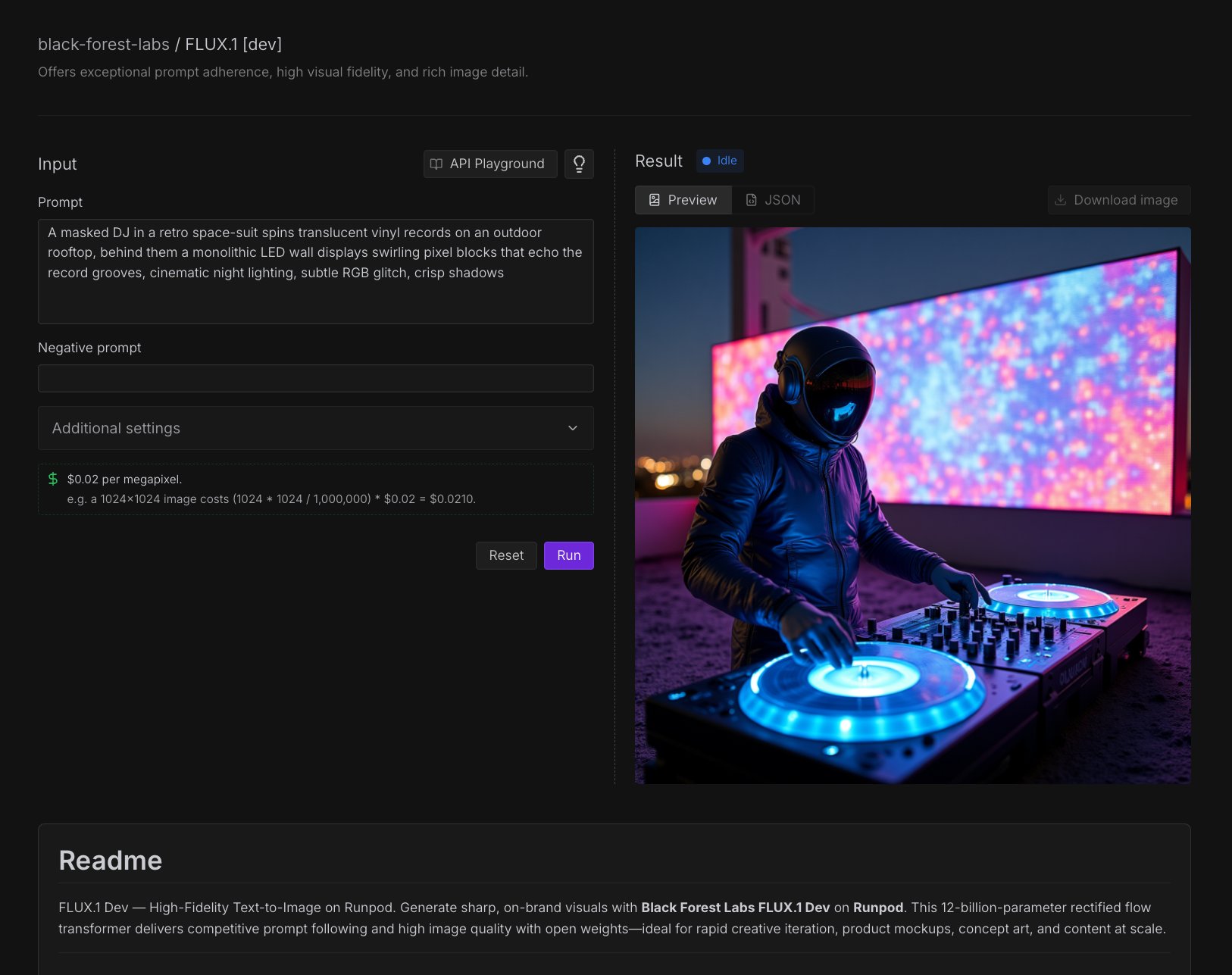
- Interactive parameter adjustment: Modify prompts, dimensions, and model settings in real-time.
- Instant preview: Generate images directly in the browser.
- Cost estimation: See estimated costs before running generation.
- API code generation: Create working code examples for your applications.
Access the playground
- Navigate to the Runpod Hub in the console.
- Select the Public Endpoints section.
- Browse the available models and select one that fits your needs.
Test a model
- Select a model from the Runpod Hub.
- Under Input, enter a prompt in the text box.
- Enter a negative prompt if needed. Negative prompts tell the model what to exclude from the output.
- Under Additional settings, you can adjust the seed, aspect ratio, number of inference steps, guidance scale, and output format.
- Click Run to start generating.
Generate code from the playground
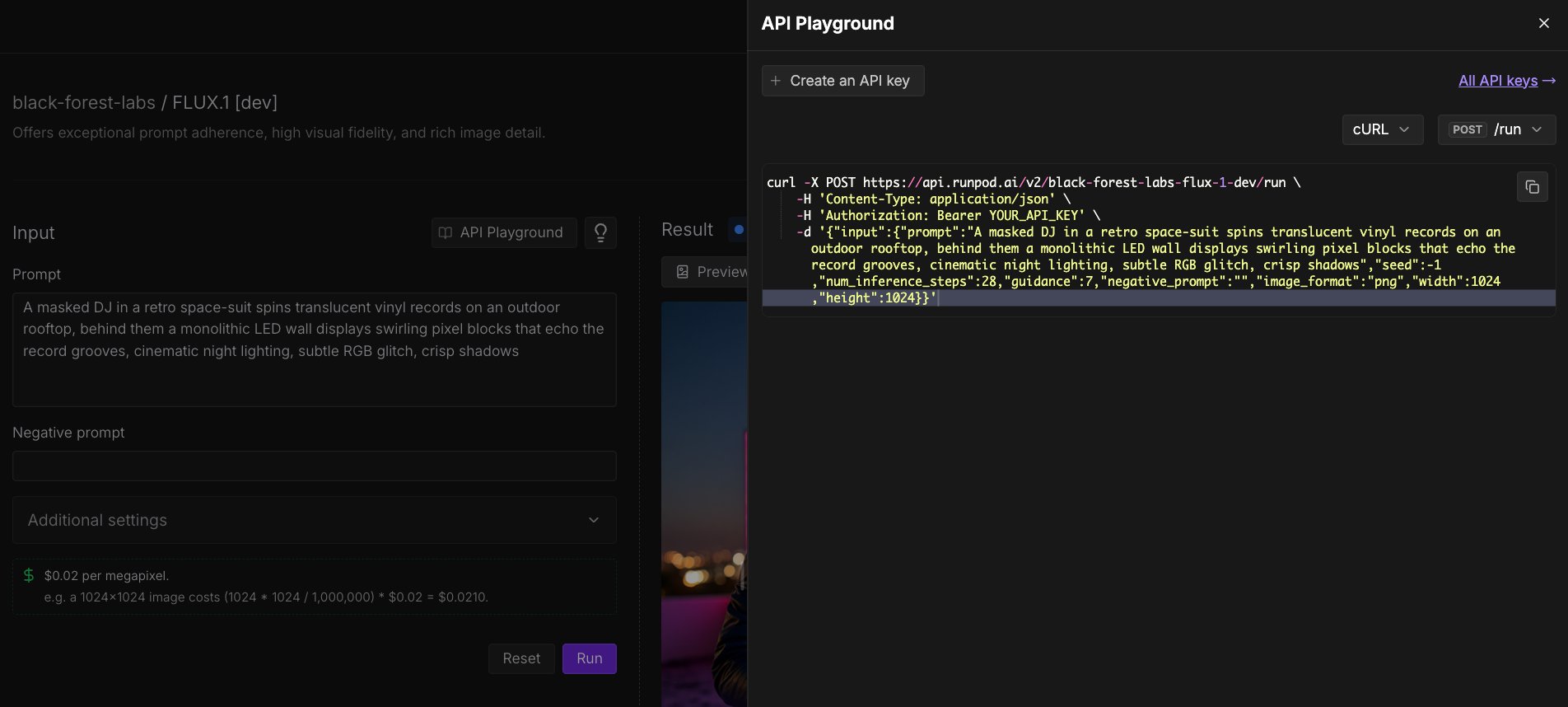
- Click API (above the Prompt field).
- Using the dropdown menus on the right, select the programming language (Python, JavaScript, cURL, etc.) and POST command you want to use (
/runor/runsync). - Click the Copy icon to copy the code to your clipboard.
Make API requests
You can make API requests to Public Endpoints using any HTTP client. All requests require authentication using your Runpod API key, passed in theAuthorization header.
Synchronous requests
Synchronous requests (/runsync) wait for the model to finish processing and return the result directly. Use these for quick generations where you want an immediate response.
- cURL
- Python
- JavaScript
Asynchronous requests
Asynchronous requests (/run) return immediately with a job ID. Use these for longer generations or when you want to queue multiple requests.
- cURL
- Python
- JavaScript
Check job status
After submitting an asynchronous request, use the/status endpoint to check progress and retrieve results. Replace JOB_ID with the job ID returned from the /run request.
- cURL
- Python
- JavaScript
Response format
All endpoints return a consistent JSON response format:Vercel AI SDK
For JavaScript and TypeScript projects, you can use the@runpod/ai-sdk-provider package to integrate Public Endpoints with the Vercel AI SDK. This provides a streamlined, type-safe interface for text generation, streaming, and image generation.
See the Vercel AI SDK guide for installation, configuration, and usage examples.
Best practices
Prompt engineering
- Be specific: Detailed prompts generally produce better results.
- Include style modifiers: Specify art styles, camera angles, or lighting conditions.
Performance optimization
- Choose the right model: Use smaller, cheaper models (e.g. Flux Schnell) for testing and development, and more powerful models (e.g. Flux Dev) for production.
- Batch with async: For multiple images, use
/runto queue requests. - Cache results: Store generated images to avoid regenerating identical prompts.
Next steps
- Model reference: View all available models and their parameters.
- Connect AI coding tools: Configure Cursor, Cline, and OpenCode with Public Endpoints.
- Build a text-to-video pipeline: Chain multiple endpoints to generate videos from text prompts.
- Build custom endpoints: Deploy your own models with Runpod Serverless.